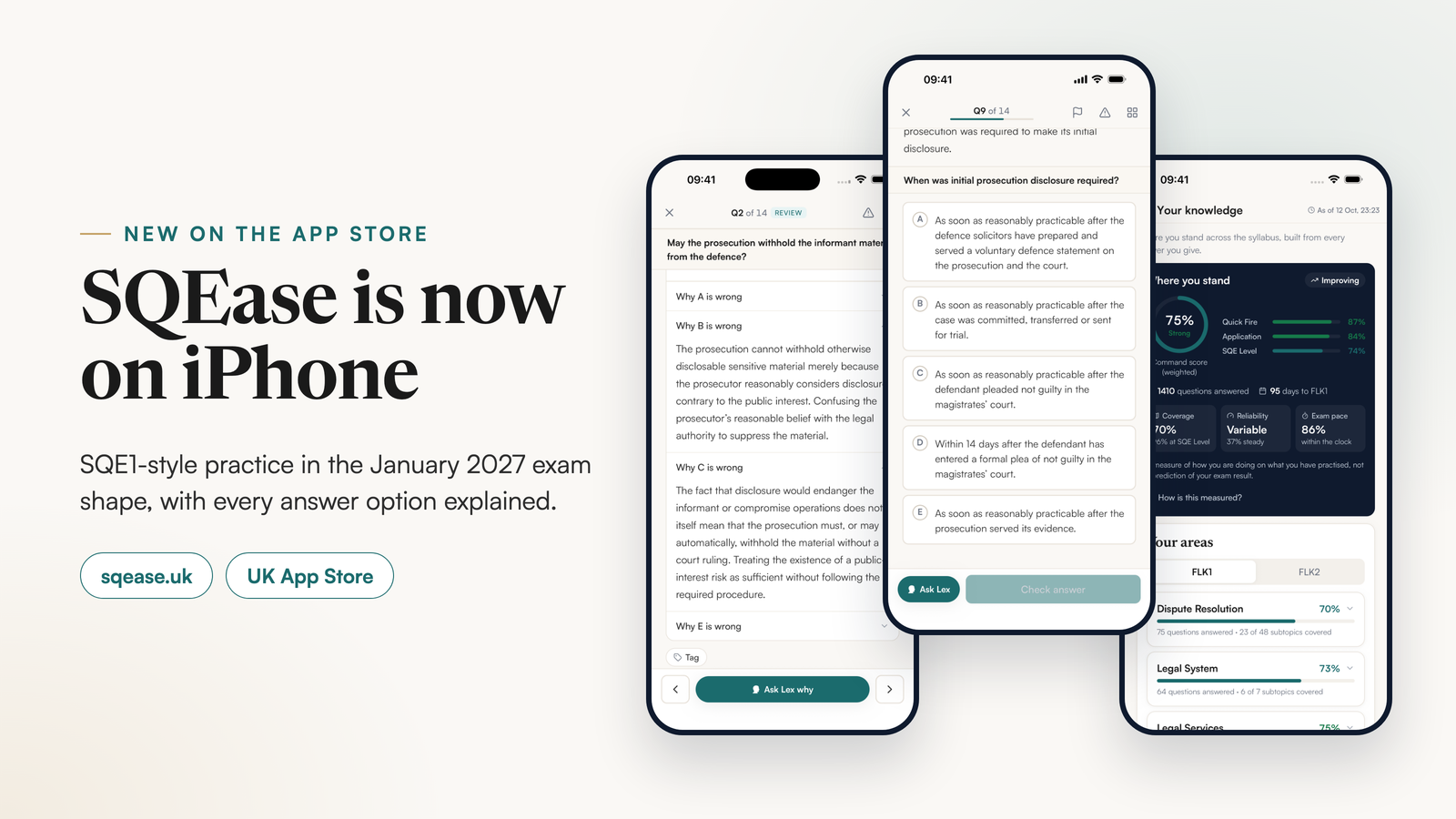
SQEase, an SQE1 practice platform, is now on iPhone as well as on the web, with one account across both. It gives candidates timed mocks in the January 2027 exam shape, a written reason for every answer option, and practice built from their own notes. Anyone can start on the free plan: five SQE1-style questions a day.
What is SQEase?
SQEase is a practice platform for SQE1, the first stage of the Solicitors Qualifying Examination that candidates sit to qualify as a solicitor in England and Wales. It is built against the SRA's published SQE1 assessment specification: every question is tagged to one of 136 subtopics in that specification and routed to FLK1 or FLK2 on the SRA's own split, so what you practise is what the syllabus lists.
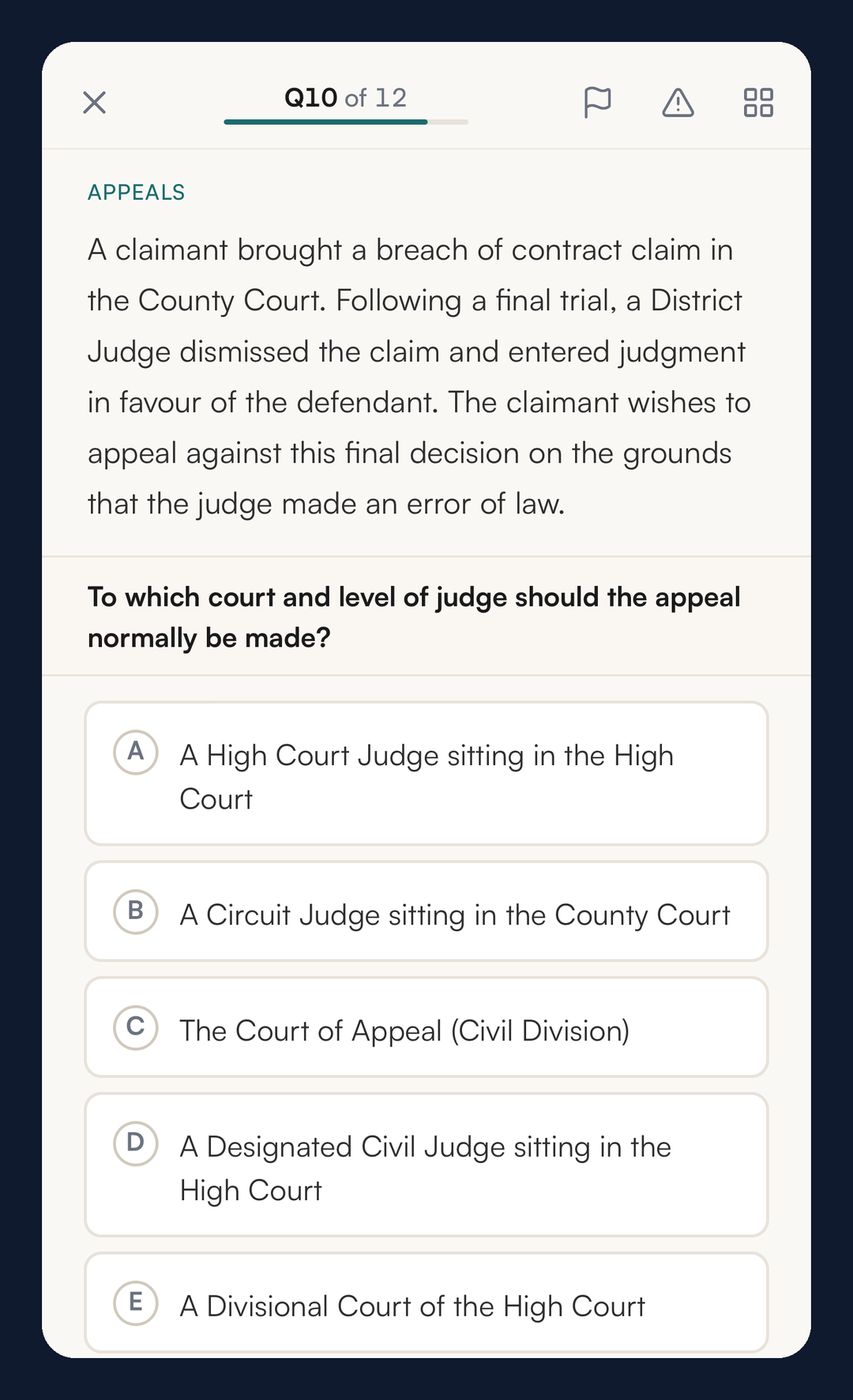
The questions are SQE1-style single best answer questions: a scenario, five options and one best answer. They are modelled on the SRA's published sample questions, which we measured for scenario length, how the options are built and how the lead-in is worded. There are three styles, and you choose the mix: Quick Fire for recall of one point, Application for a short client scenario, and SQE Level for the long, detailed scenarios closest to the exam. SQEase is independent and is not affiliated with the SRA.
Timed mocks in the January 2027 shape
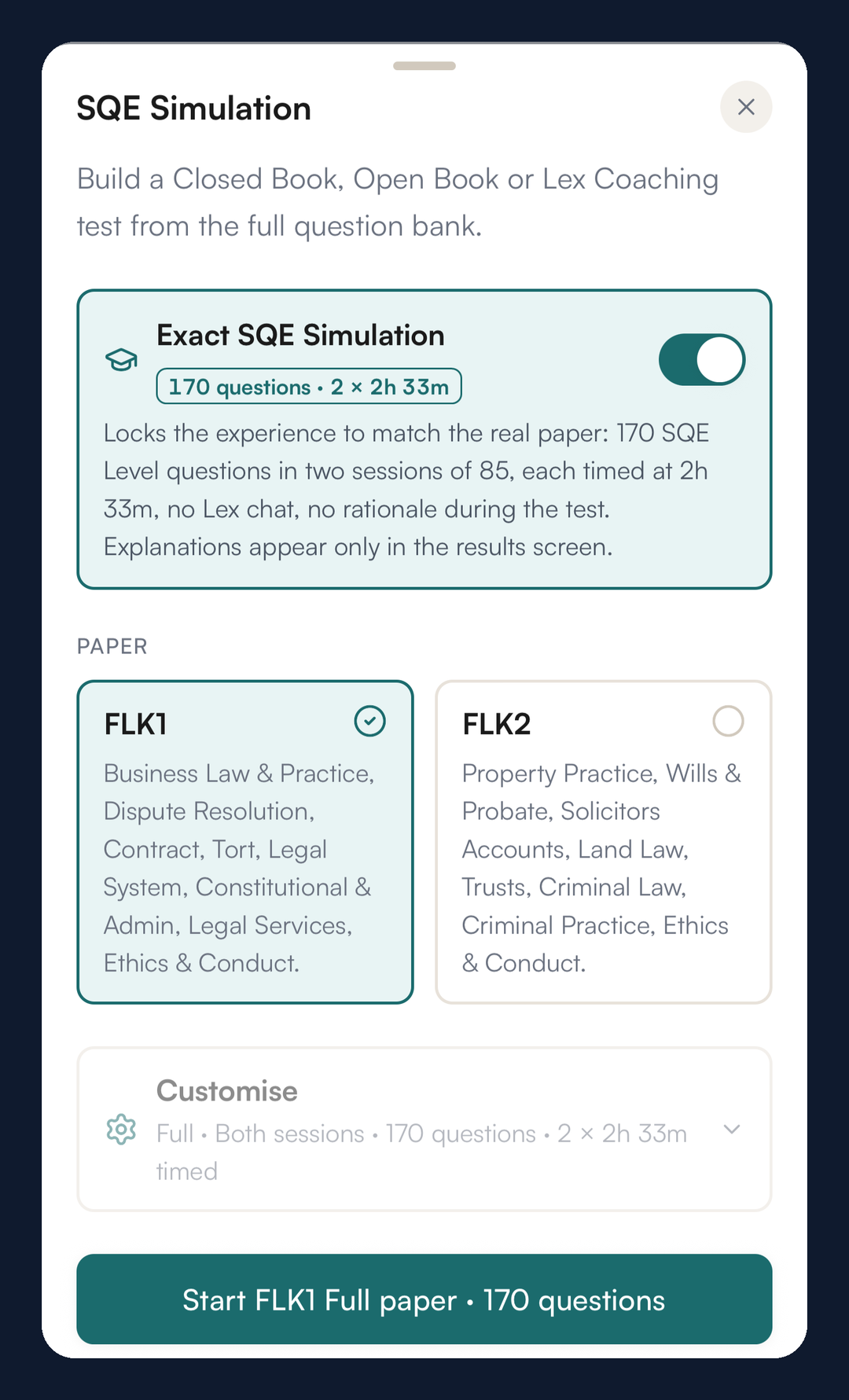
The SQE Simulation builds FLK1 and FLK2 papers the way the SRA sets them from January 2027. The SRA's change announced on 10 September 2026 makes each paper 170 questions in two sessions of 85, each session with its own subjects and 2 hours 33 minutes on the clock, which is about 108 seconds a question.
On Core and above, a full paper of 170 questions is the default, with each session drawing only its own subjects within the SRA's ranges and timed on its own clock. Half papers (80 questions), short papers (40) and a single session are under Customise. The Exact SQE Simulation locks the exam shape: 170 SQE Level questions, no Lex during the test, answers withheld until the results, and the only stop at the break between sessions. Results show a score for each session as well as the total. Our guide to what changed in SQE1 for January 2027 covers the session split in detail.
Every option explained, not just the answer
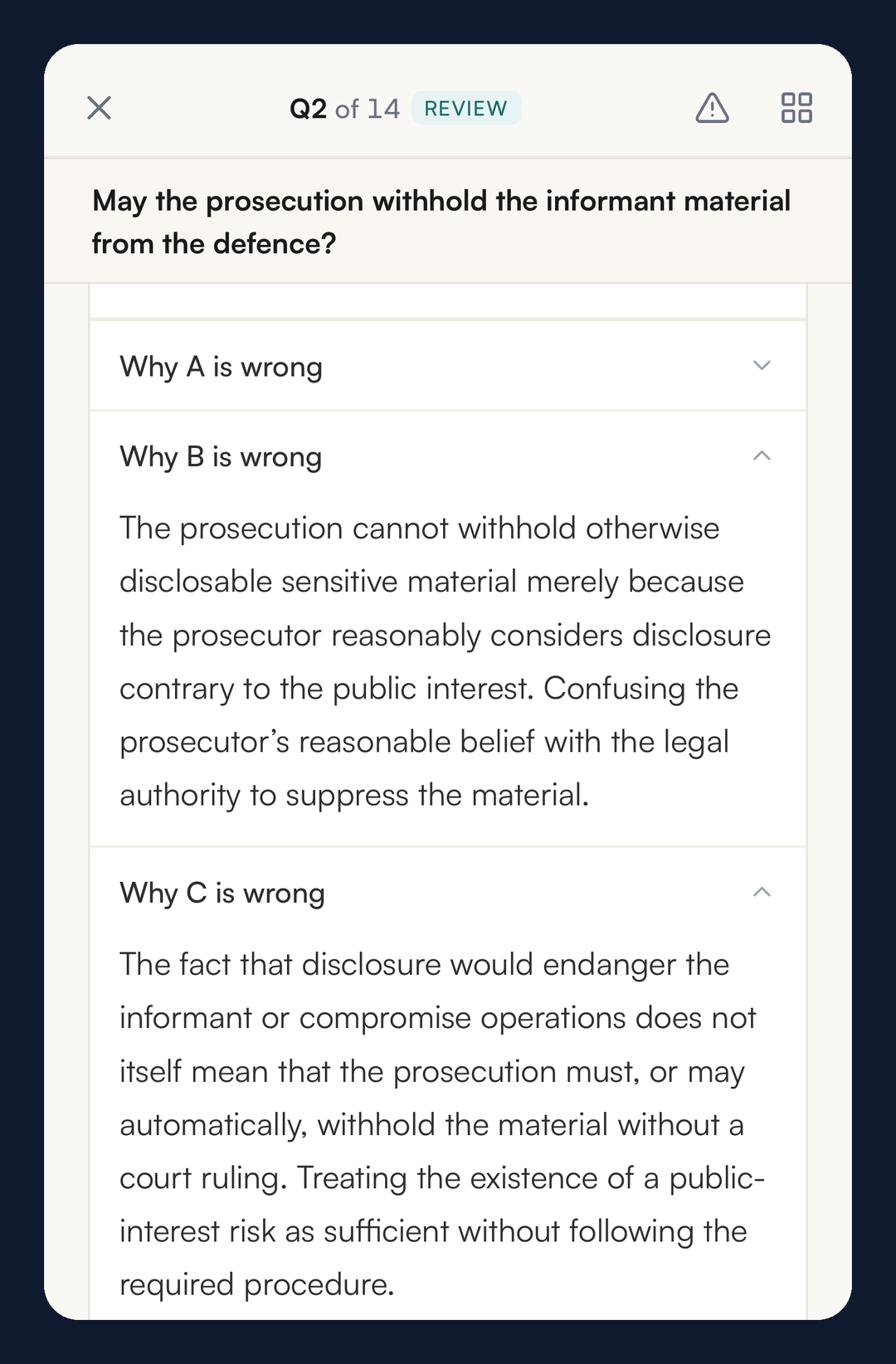
After every question, SQEase explains why the correct answer is right and why each of the four other options is wrong. A wrong option in a good single best answer question is usually wrong for one specific reason: a missed time limit, the wrong party, a rule applied one step too early. Seeing that reason for each option is how you learn to spot the trap next time, rather than only memorising the answer.
If an explanation does not land, Ask Lex Why on any option opens a short conversation about it. Before you have committed to an answer, Lex will not tell you which option is correct; it helps you reason towards it instead.
To work on one area, Custom Practice on a paid plan lets you pick a single subtopic, or several, choose the question style and the number of questions, and practise only that. The Daily Challenge builds a set each day from your weaker areas.
Your own notes, turned into questions and flashcards
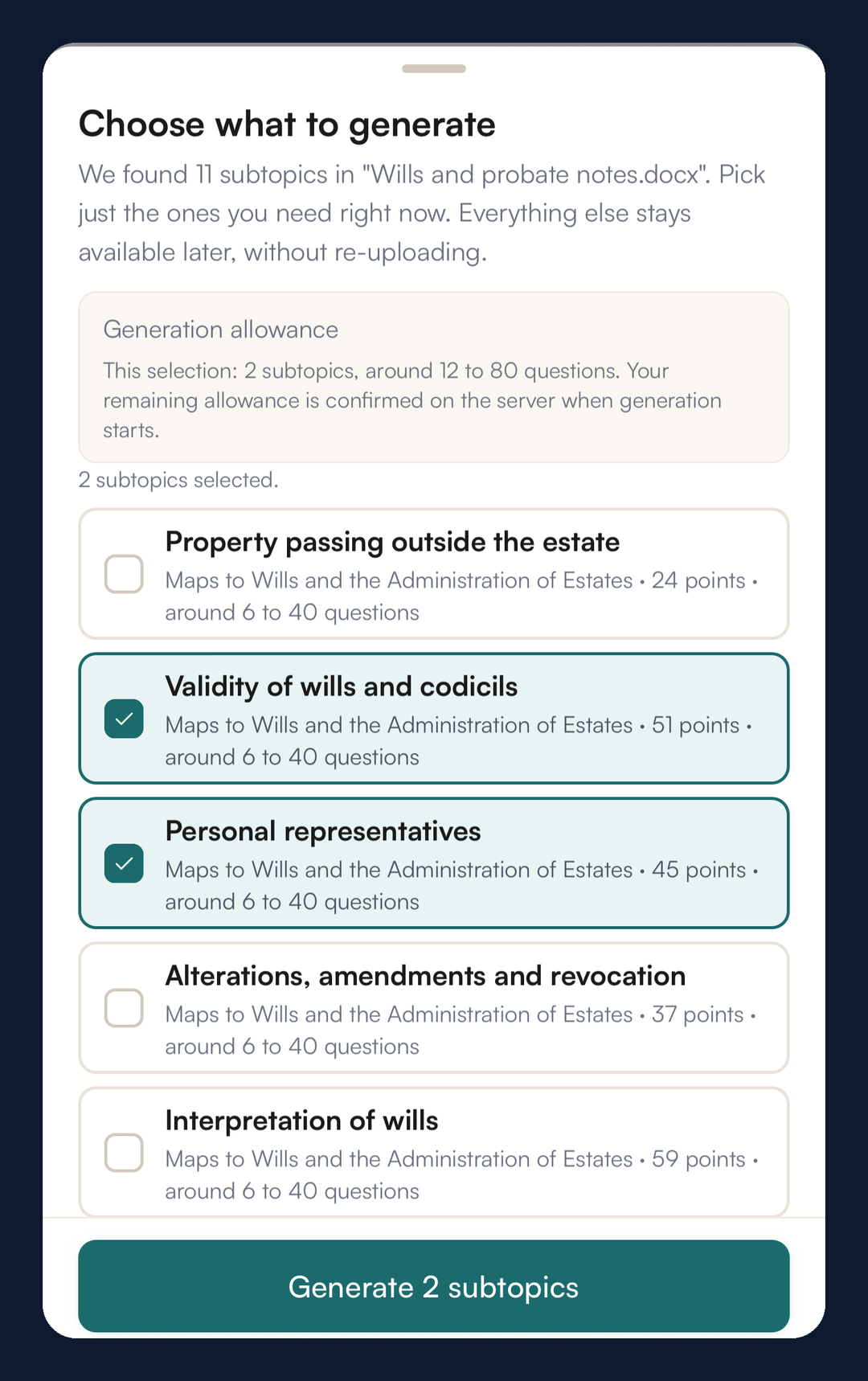
On a paid plan you can upload your own study material, such as a textbook chapter, lecture slides, a Word document or a photo of handwritten notes, and SQEase turns it into SQE1-style questions. It reads the whole document and maps what it teaches onto the SQE1 syllabus, showing how many testable points it found for each subtopic. You choose the subtopics to build questions from, and every question comes with the same reason for each option as the main question bank.
The same reading builds flashcard decks, organised by SQE subject and subtopic and reviewed on a spaced schedule. Each card is checked against your document before it is saved, and the quote shown on a card is a word-for-word line from your notes. Your uploads are never used to train AI models, and we delete your notes once your questions are built.
Lex explains the law behind a question
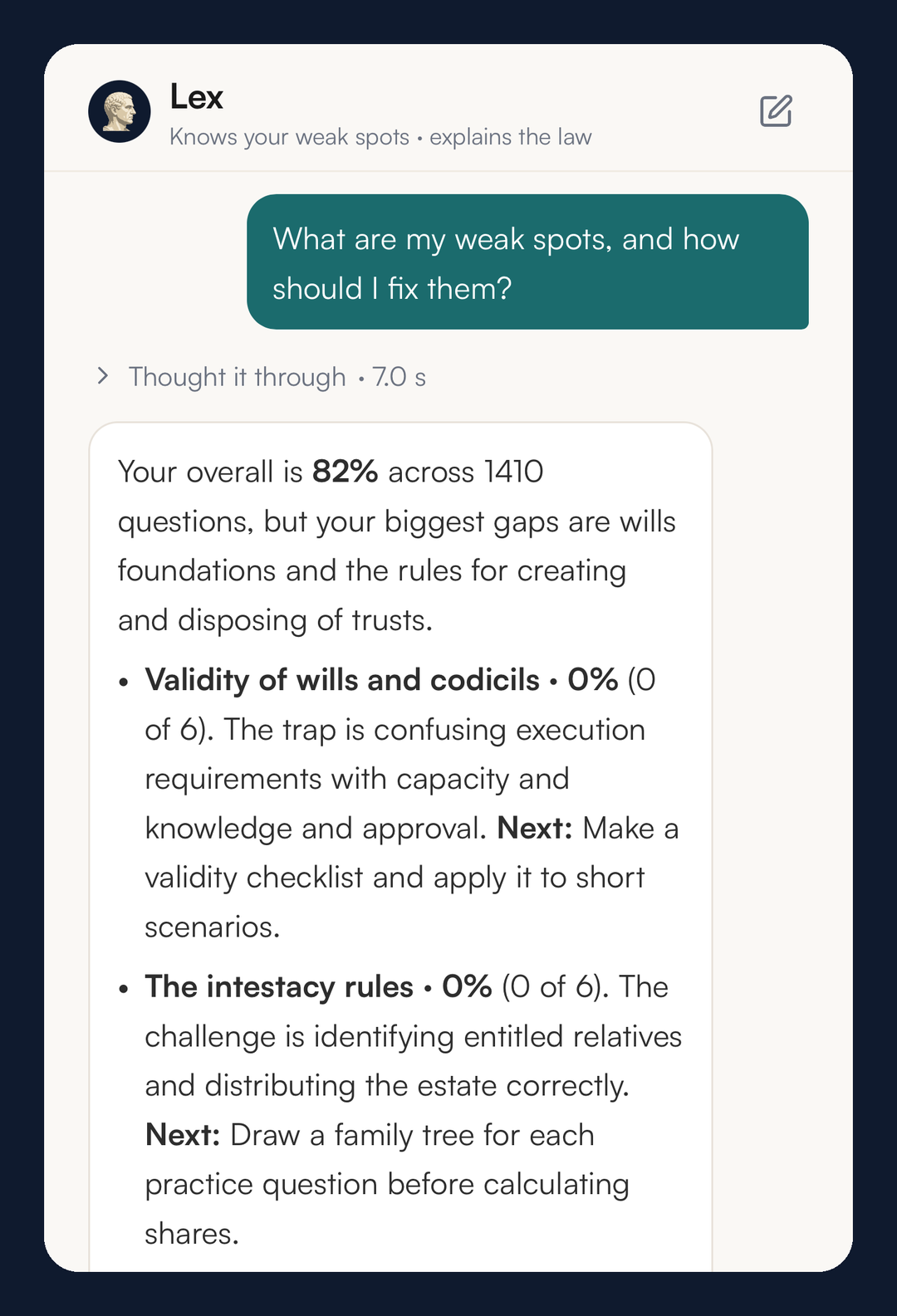
Lex is the study assistant inside SQEase. Ask it about a point of law and it answers from a curated legal knowledge base; when that is not enough, "Research now" searches UK sources and lists the links it used, so you can read them yourself. Lex can also read back your own results and say where your gaps are, as in the example below.
On Core and above, you can describe the test you want in plain English, such as "a timed 30-question mock on my weakest topics", and Lex sets it up for you to confirm. Pro and Ultra add voice input, so you can talk a question through instead of typing it. Lex's explanations are study aids, not legal advice.
See where you stand, and what to do next
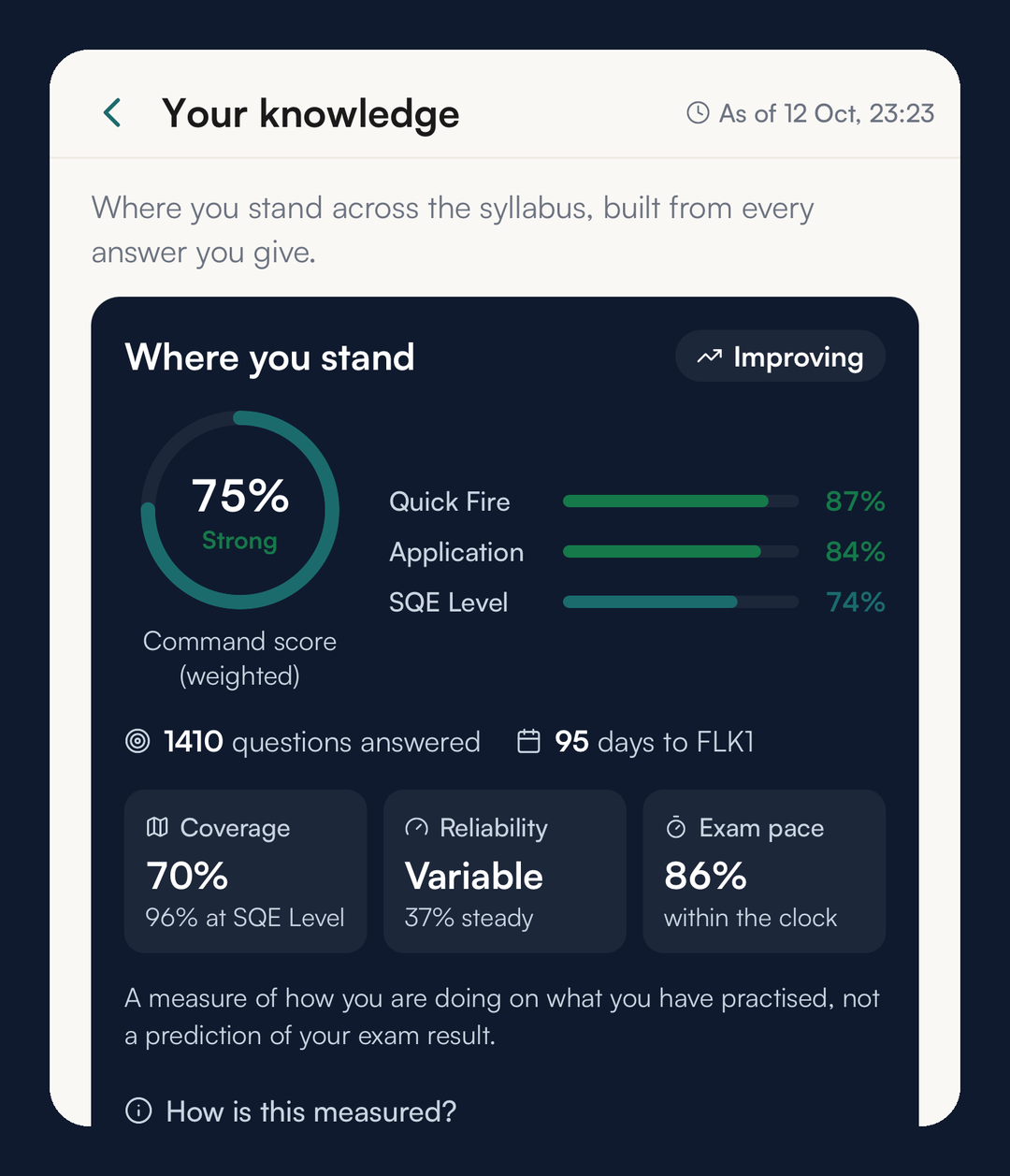
On Core and above, every answer you give builds the Your knowledge page: an overall picture, a figure for each question style, how much of the syllabus you have covered, and a breakdown by subject and subtopic. It is a measure of how you are doing on what you have practised, not a prediction of your exam result.
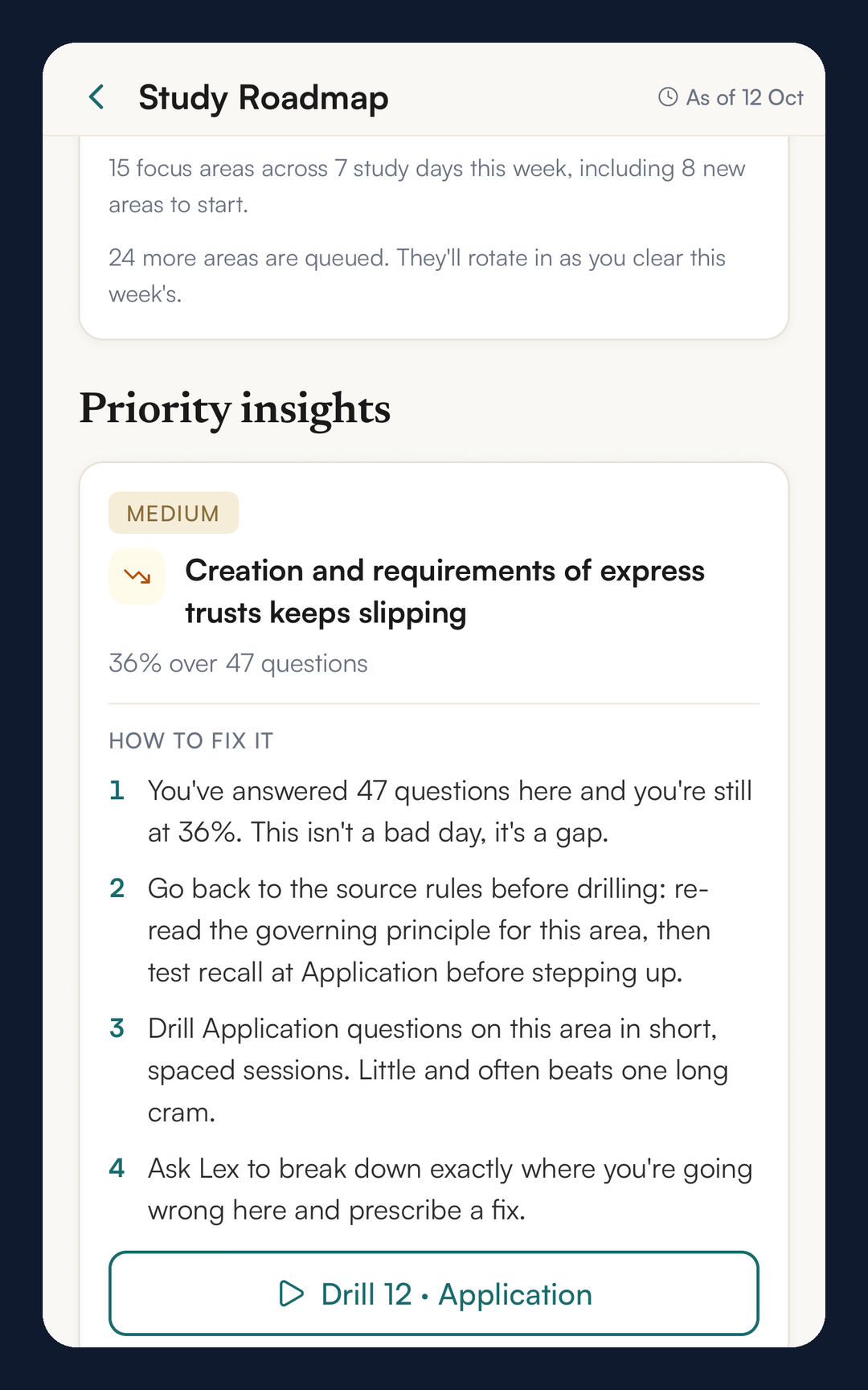
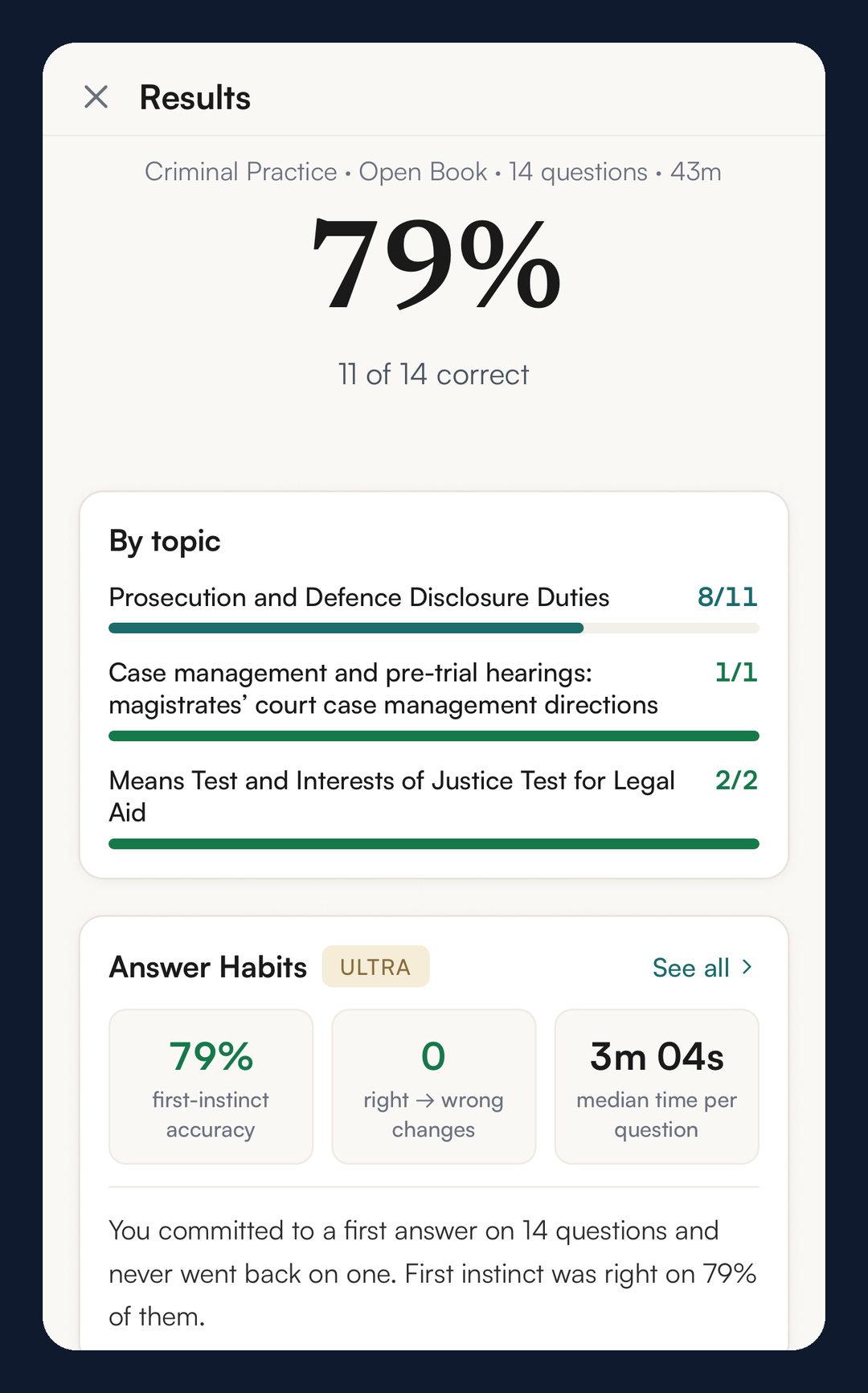
On Pro and above, the Study Roadmap turns that into a plan keyed to your sitting: insights ranked by how much they matter, each with a method and a one-tap drill, and a weekly plan built around the time you have. On Ultra, Answer Habits looks at technique rather than knowledge: how often you change an answer, whether the change helped, and your typical time per question against the 108-second pace. Lex Coaching, also on Ultra, has you reason through a full exam-style question first, then compares your reasoning with each option. Every plan sees one figure after each sitting: how often your first instinct was right.
The iPhone app: one account, and practice offline
The SQEase iPhone app is on the UK App Store. It uses the same account as sqease.uk, so your questions, results and progress follow you between the two. You can sign in with Apple, Google or email on both, and an account made with Sign in with Apple on iPhone opens on the website by choosing the same button there.
Subscriptions bought in the app cost more than the same plans on sqease.uk. The reason is Apple’s commission: Apple takes a share of every subscription sold through the App Store, so we add that to the App Store price instead of raising the price for everyone. The plans are the same either way, and one account works on both, whichever way you subscribe.
The app keeps your question bank, and the questions built from your own uploads, on the phone, so you can practise with no signal on a train or in a library basement. It downloads them on its own, and a setting lets you keep later top-ups to Wi-Fi. The app also has a camera scan for handwritten notes, flashcard review and Lex.
How the questions are checked, and what that does not mean
Each new question is checked before you see it. It is written against the SRA specification, every option must have a stated reason, the figures in the explanation must match the scenario, and it is answered again independently: the answers must agree, or the question is held back. Where a question states a rate, time limit or statute, that is checked against textbook sources and, where needed, current UK sources.
The honest limit: these checks are automated. No solicitor reviews the questions, they are not questions set by the SRA, and no practice platform can promise how you will do on the day. The fuller description, including what the checks do not cover, is on our AI disclaimer page.
How to start
- Create an account at sqease.uk or in the iPhone app.
- Tell SQEase which sitting you are aiming at and which subjects you are taking.
- Practise on the free plan: five SQE1-style questions a day, reset at midnight UK time, with fifteen Lex messages a day to explain them.
- When you want full mocks, the whole question bank or your own notes as questions, compare the plans on the pricing page.
For more on what each part does, see SQEase features and how SQEase works. On the blog, we publish a guide for SQE1 candidates every Tuesday, starting with the January 2027 changes.
How this was written: Finlay Salisbury wrote and edited this post. AI tools helped with research and drafting. Every legal and factual point was checked by him against the linked primary sources. He is not a solicitor, and this is study information, not legal advice.
SQEase practice questions are written by AI and checked by automated multi-model processes. They are not reviewed by a solicitor and are not SRA or SQE1 exam questions.