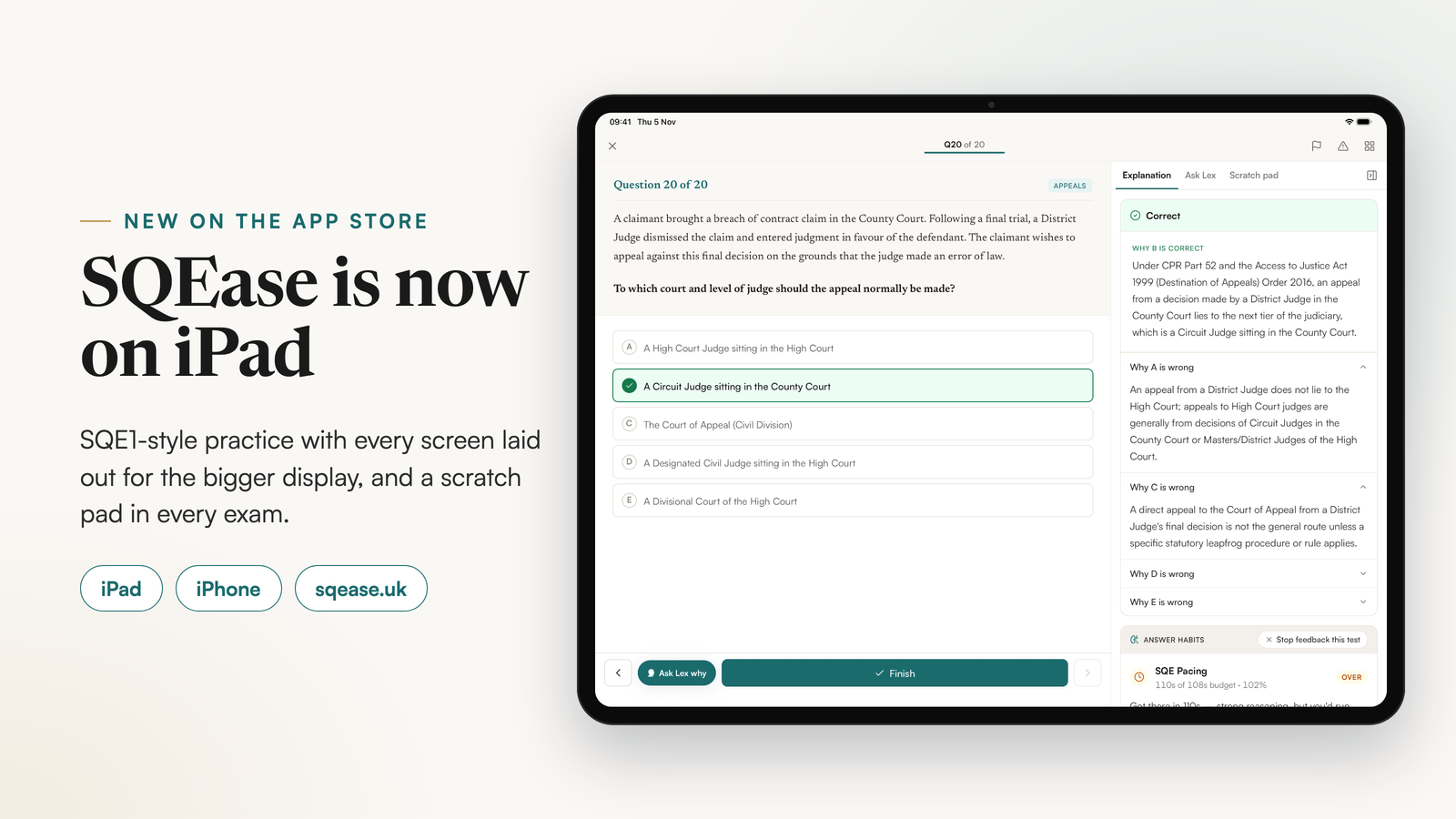
SQEase, an SQE1 practice platform, now runs on iPad as well as iPhone and the web. The iPad version arrived on 2 November 2026 in the same App Store app, with one account across all three. It lays every screen out for the bigger display and adds a scratch pad to every exam, like the whiteboard the SQE1 test centre gives you.
What does SQEase do on iPad?
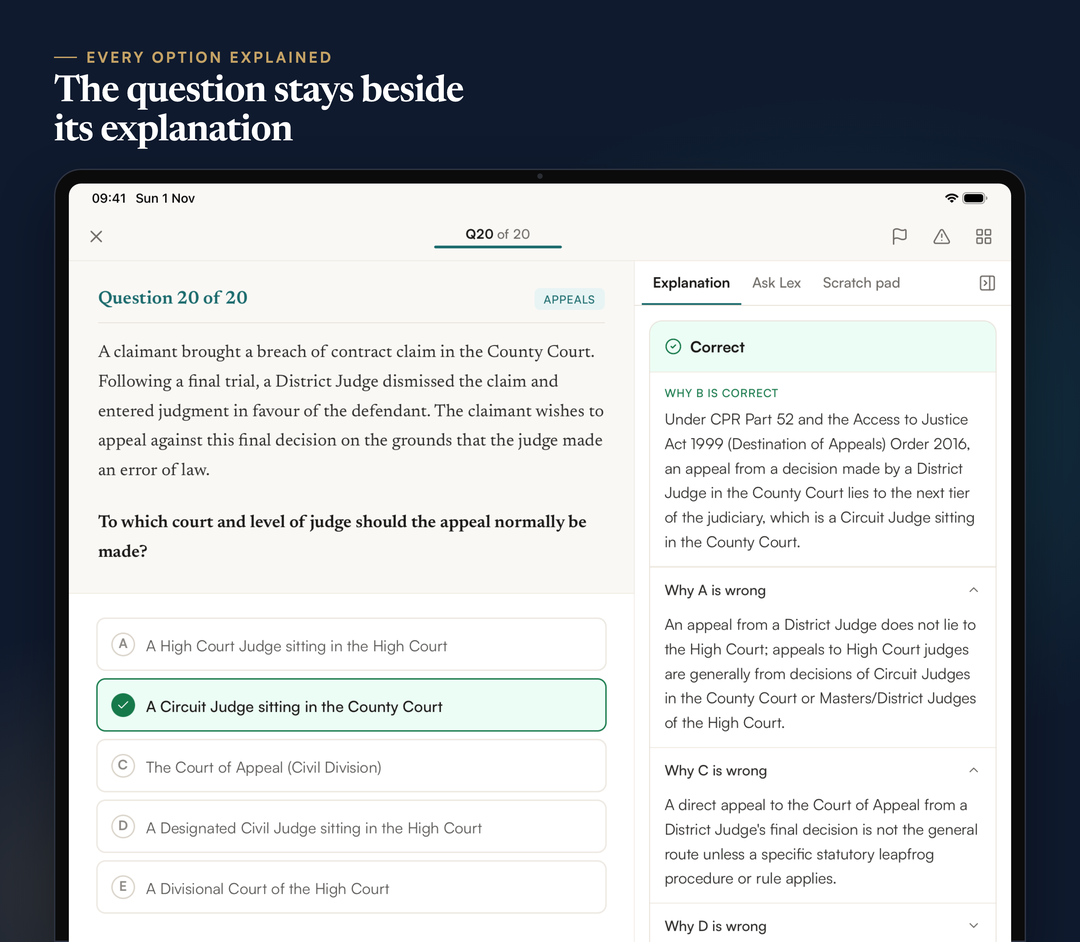
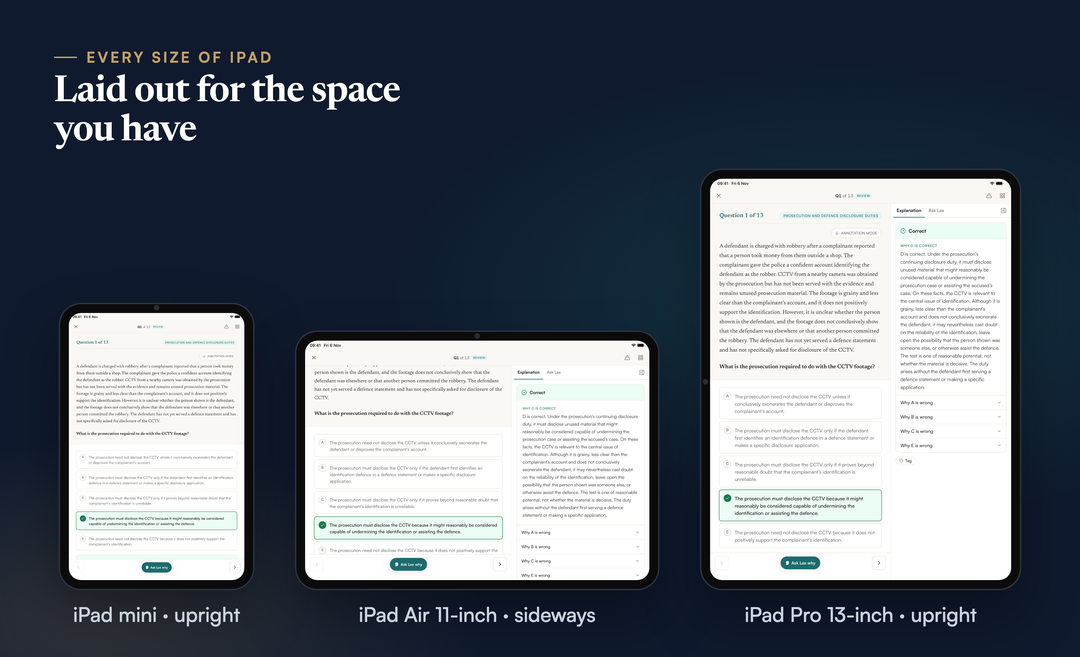
SQEase on iPad does everything the iPhone app does, with every screen laid out for the larger display, in portrait and in landscape. On a 13-inch iPad, and on any iPad turned sideways, the question and its five options sit on the left and a panel sits on the right, with three tabs: Explanation, Ask Lex and Scratch pad. After you check an answer, you read why the correct option is right and why each of the other four is wrong without leaving the question. On iPad mini and 11-inch iPads held upright, the question gets the full width of the screen instead, so long scenarios stay easy to read.
It is the same app as on iPhone, version 1.2.0 on the UK App Store, and it needs iPadOS 16.4 or later. Your account, questions and results are shared with iPhone and sqease.uk, so you can start a set on one and review it on another.
A scratch pad, like the whiteboard in the test centre
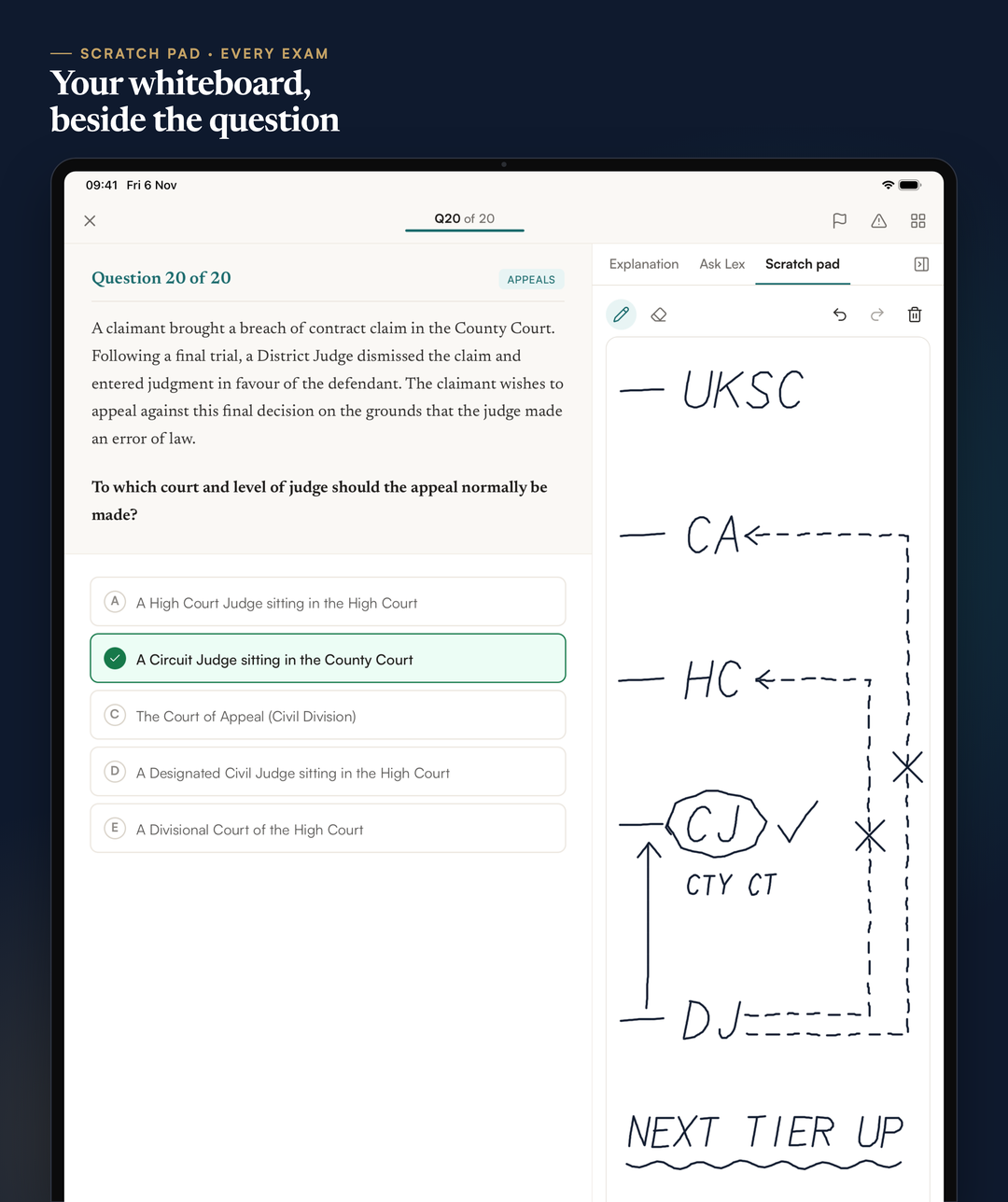
Every exam mode on iPad has a scratch pad you can write on with Apple Pencil or a finger. We built it because of how the real exam works. The SRA's SQE1 assessment day page says no books, notes or devices are allowed in the room, and each candidate is given "an erasable whiteboard notepad and marker pen" for the assessment.
So the scratch pad is where you do the same work you will do on that board: a ladder of courts, a timeline of dates, who owes what to whom, a rough sum before you trust an option. On a 13-inch iPad, or any iPad turned sideways, it sits in the panel beside the question. On iPad mini and 11-inch iPads held upright, it is a tab tucked on the edge of the question that opens over it with one tap. It is in every mode, including the Exact SQE Simulation, which otherwise locks a test to exam conditions. Each question has its own page. Your ink stays if you pause or close the app mid-test, and you can still see it while you review that test.
The limit, stated plainly: the scratch pad is a page of ink and nothing more. It is kept on that iPad only, it is never saved to your account or synced, and it is deleted when you close the test's results.
Timed mocks in the January 2027 shape
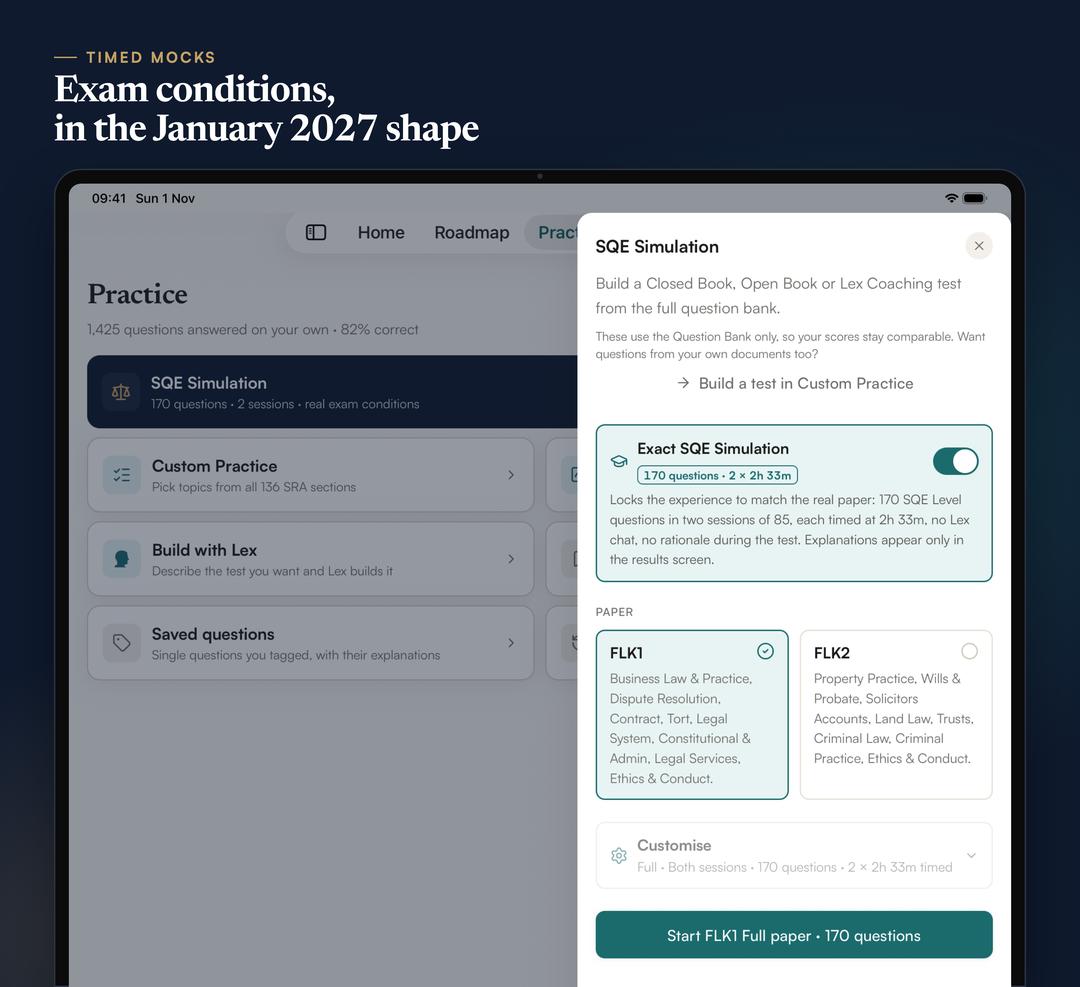
The SQE Simulation builds FLK1 and FLK2 papers in the shape the SRA sets from January 2027: 170 questions in two sessions of 85, each on its own clock of 2 hours 33 minutes, which is about 108 seconds a question. On iPad its options open in a drawer from the right, so you can see each paper's topics before you start.
The Exact SQE Simulation locks a test to exam conditions: 170 SQE Level questions, no Lex during the test, and the explanations only in the results. On Core and above you can also run half papers, short papers or a single session. Our guide to SQE1 time per question turns the 108 seconds into a pacing plan with checkpoints.
Your own notes, mapped to the syllabus
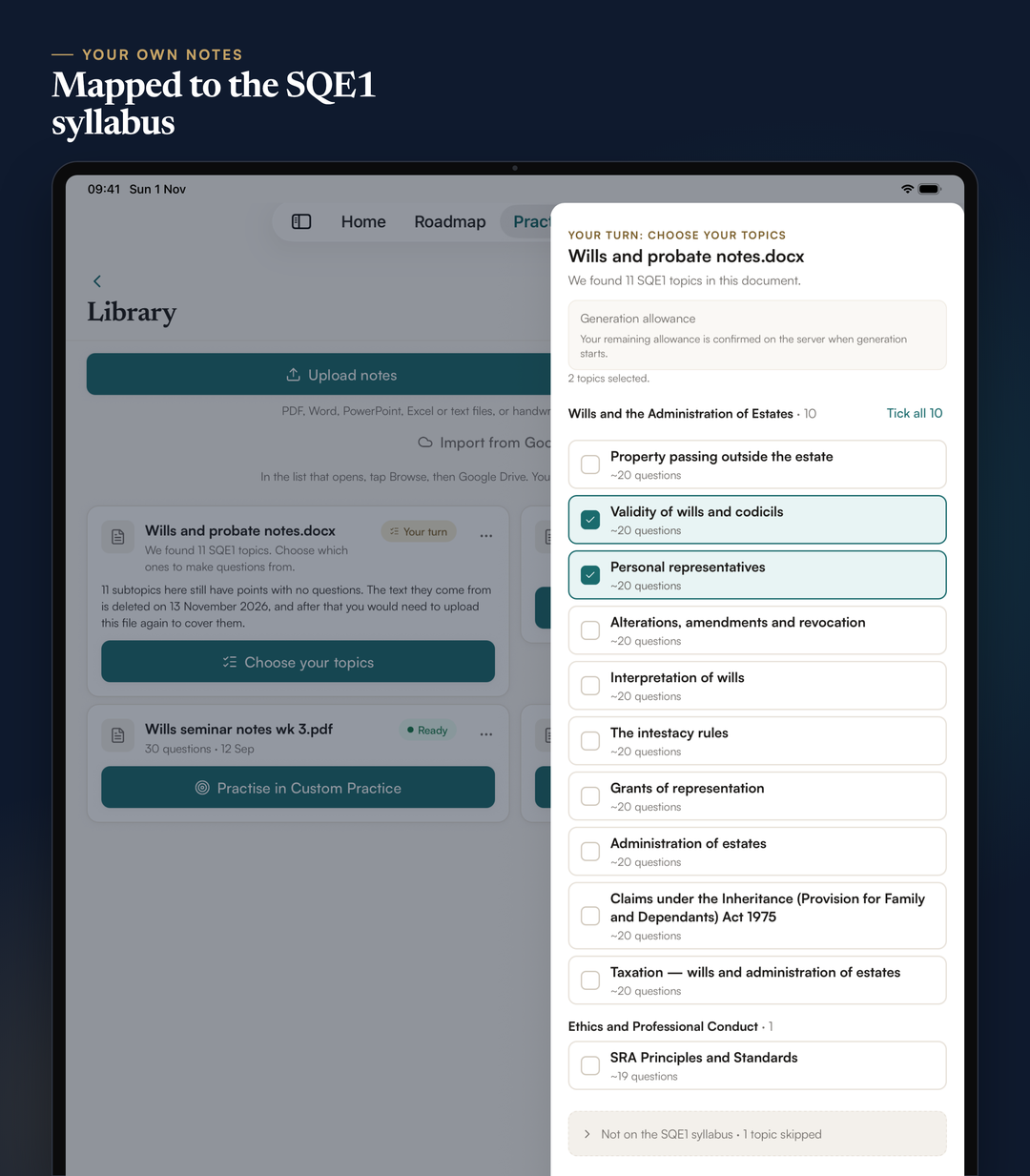
On a paid plan you can upload your own study material, such as a textbook chapter, lecture slides, a Word document or a photo of handwritten notes, and SQEase turns it into SQE1-style questions and flashcards. It reads the whole document and lists the SQE1 topics and subtopics it found, with roughly how many questions each could give. You tick the ones you want, and every question comes with a reason for each option, as in the main question bank.
On iPad the list opens beside your Library, so you can see the document and its topics at once. Your uploads are never used to train AI models, and we delete your notes once your questions are built.
Lex, with room to read
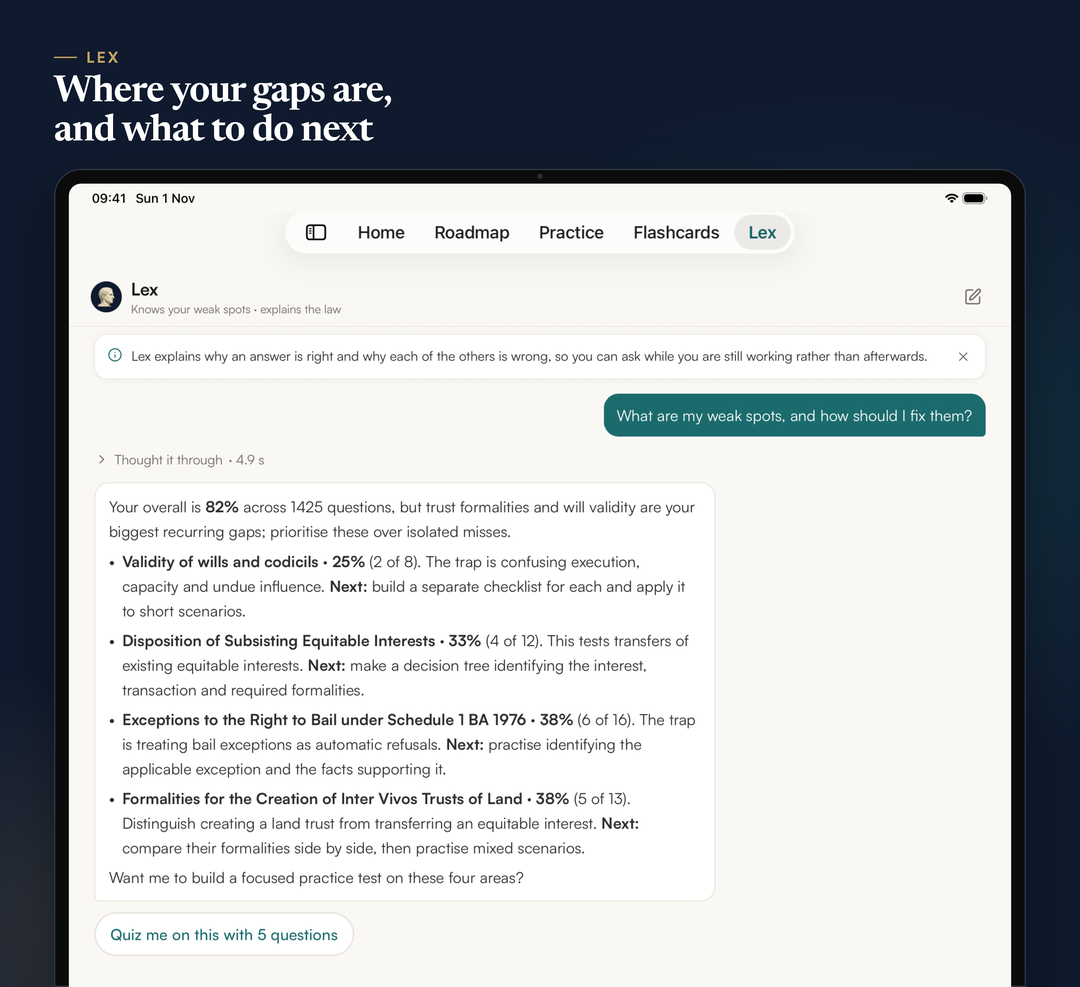
Lex is the study assistant inside SQEase. It answers questions about the law from a curated legal knowledge base, and when that is not enough, "Research now" searches UK sources and lists the links it used. It can also read back your own results and say where your gaps are, then offer a short practice set on them. On iPad its longer answers have room to breathe. Lex's explanations are study aids, not legal advice.
See where you stand, side by side
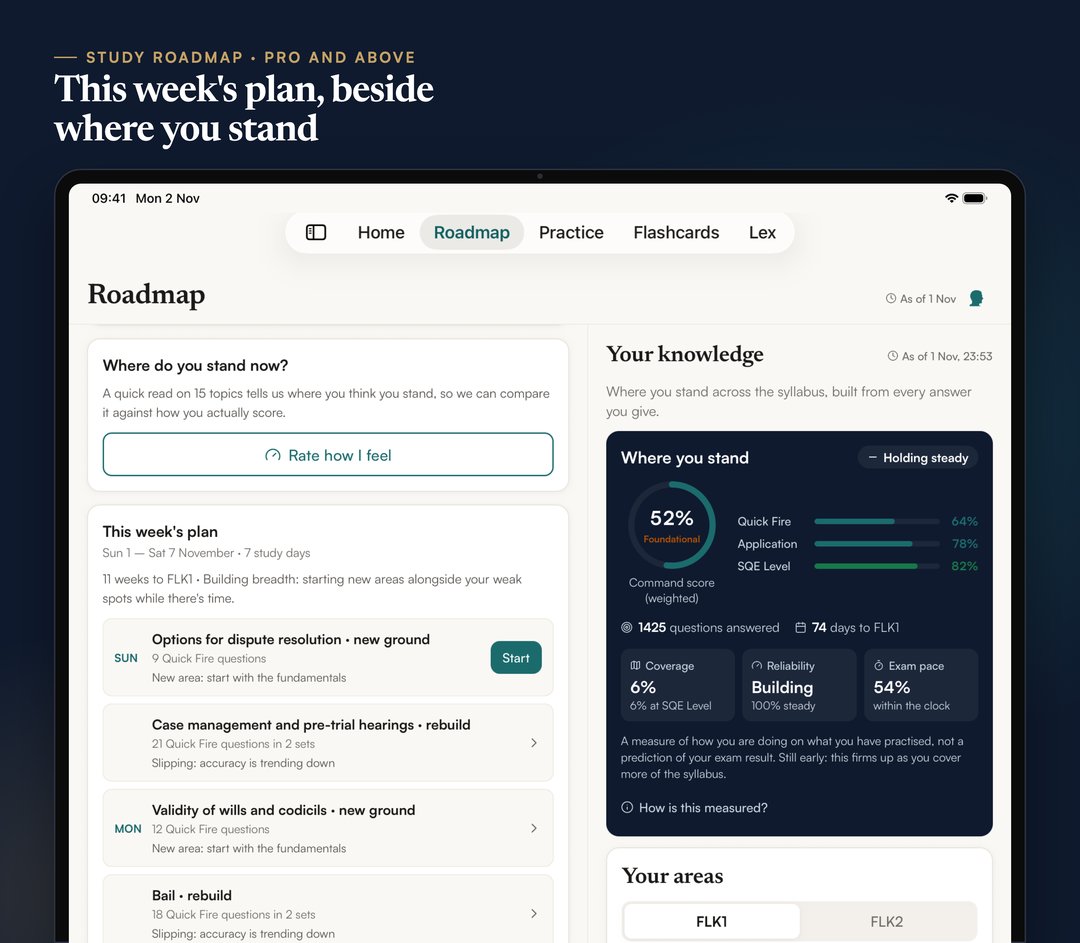
On Pro and above, the Study Roadmap turns your results into a weekly plan keyed to your sitting. On iPad the plan sits beside Your knowledge, which shows how you are doing across the syllabus from every answer you give. It is a measure of how you are doing on what you have practised, not a prediction of your exam result.
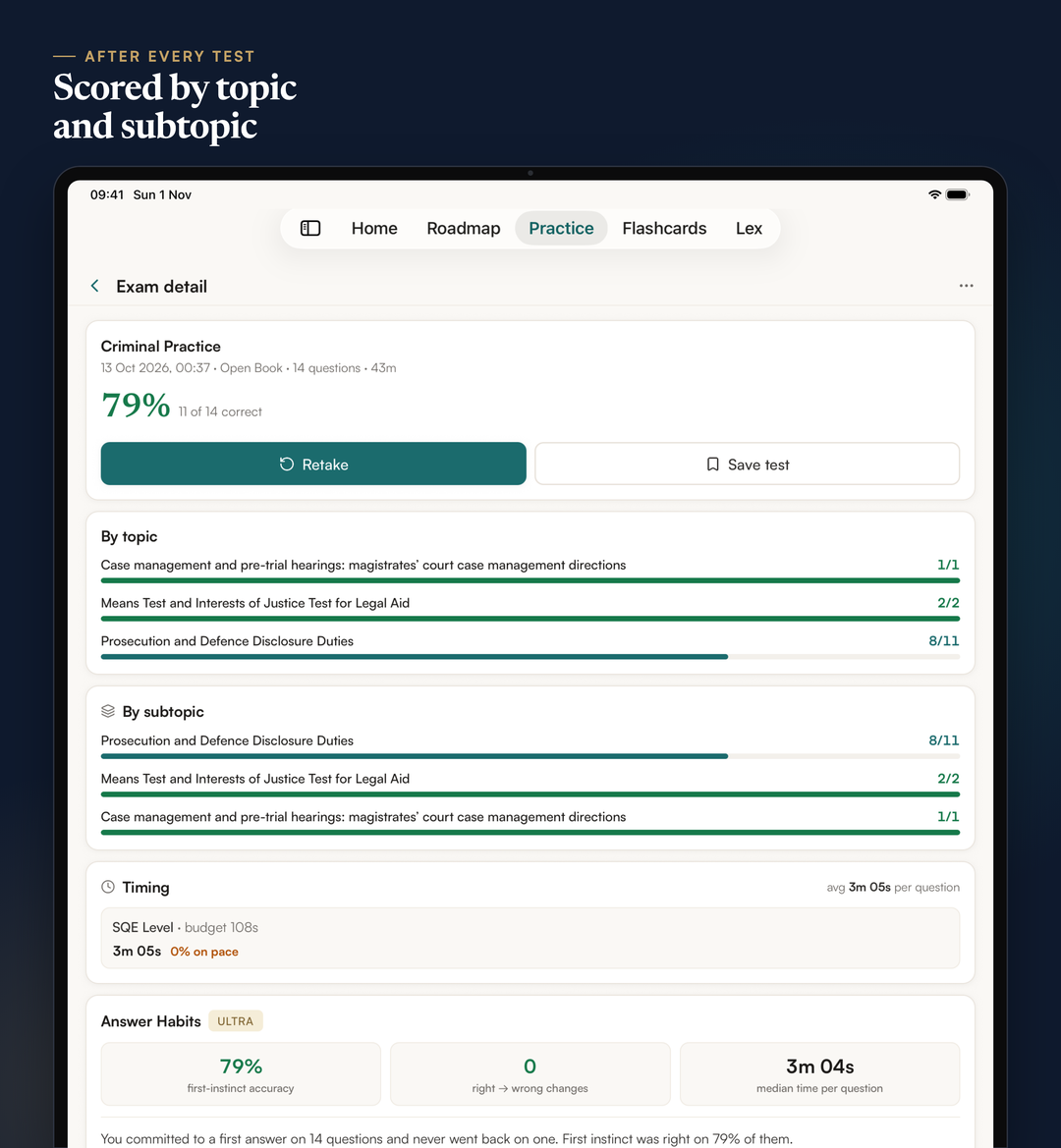
After each test, the results show your score by topic and subtopic and your timing. On Ultra, Answer Habits adds how often your first instinct was right and how often a changed answer helped.
Built for a keyboard as well as a finger
Many candidates revise on an iPad with a keyboard case, so SQEase on iPad answers the keys you would expect. In a test, the letters A to E choose an option, Return checks the answer or moves on, and the arrow keys move between questions. There are keys to flag a question, open the question grid, ask Lex and leave, and in flashcards the space bar turns the card over. The full list is in Settings, under Keyboard shortcuts.
What else came with the iPad version?
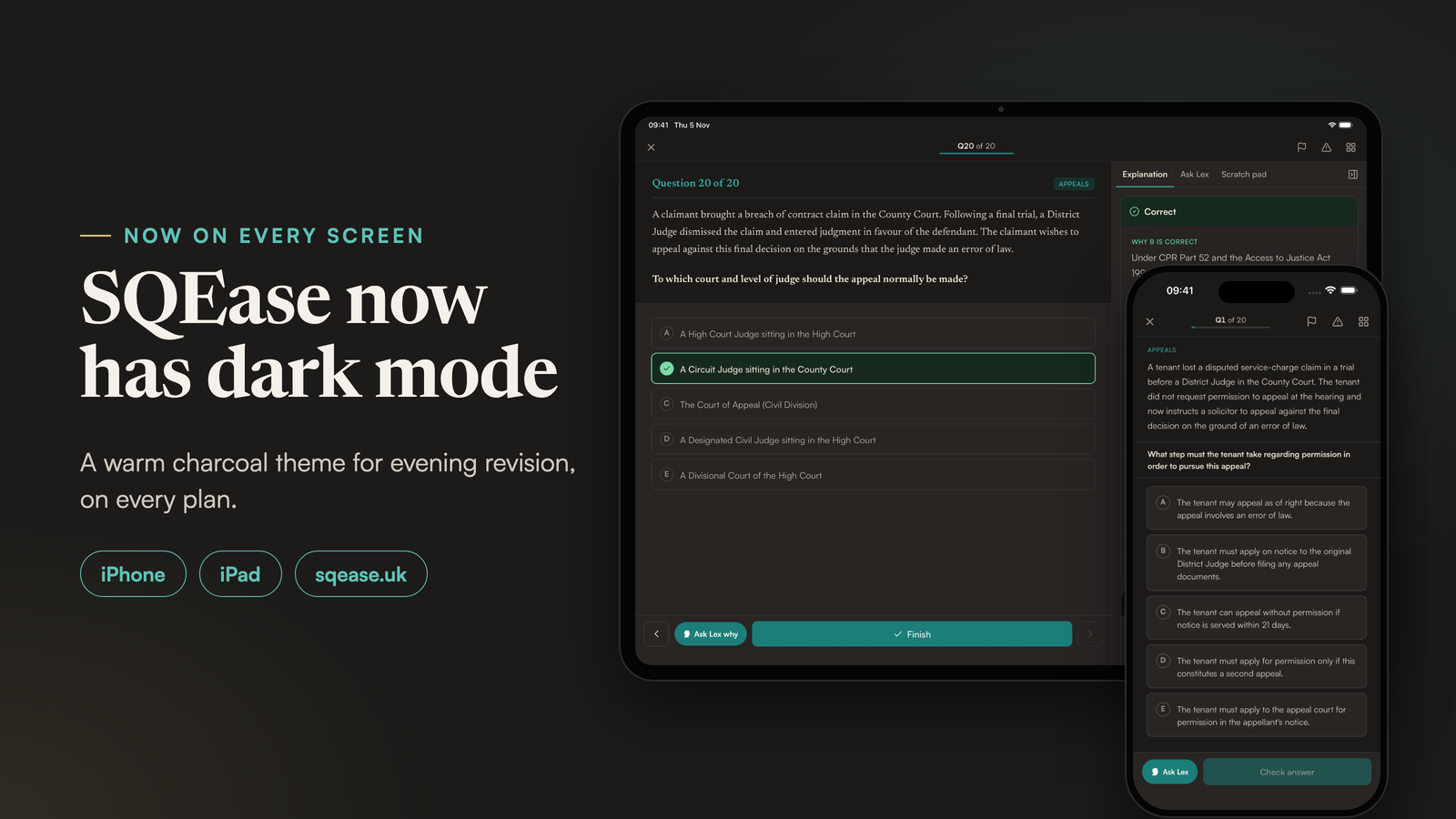
The same update, version 1.2.0, brought the diagnostic mock into the app: 45 SQE1-style questions across all 15 topics, at the real exam's pace of 108 seconds a question, followed by a Lex insight report. Our post on the free SQE1 diagnostic mock explains what it measures. It also brought a dark mode, on iPhone and iPad and now on the website's app too.
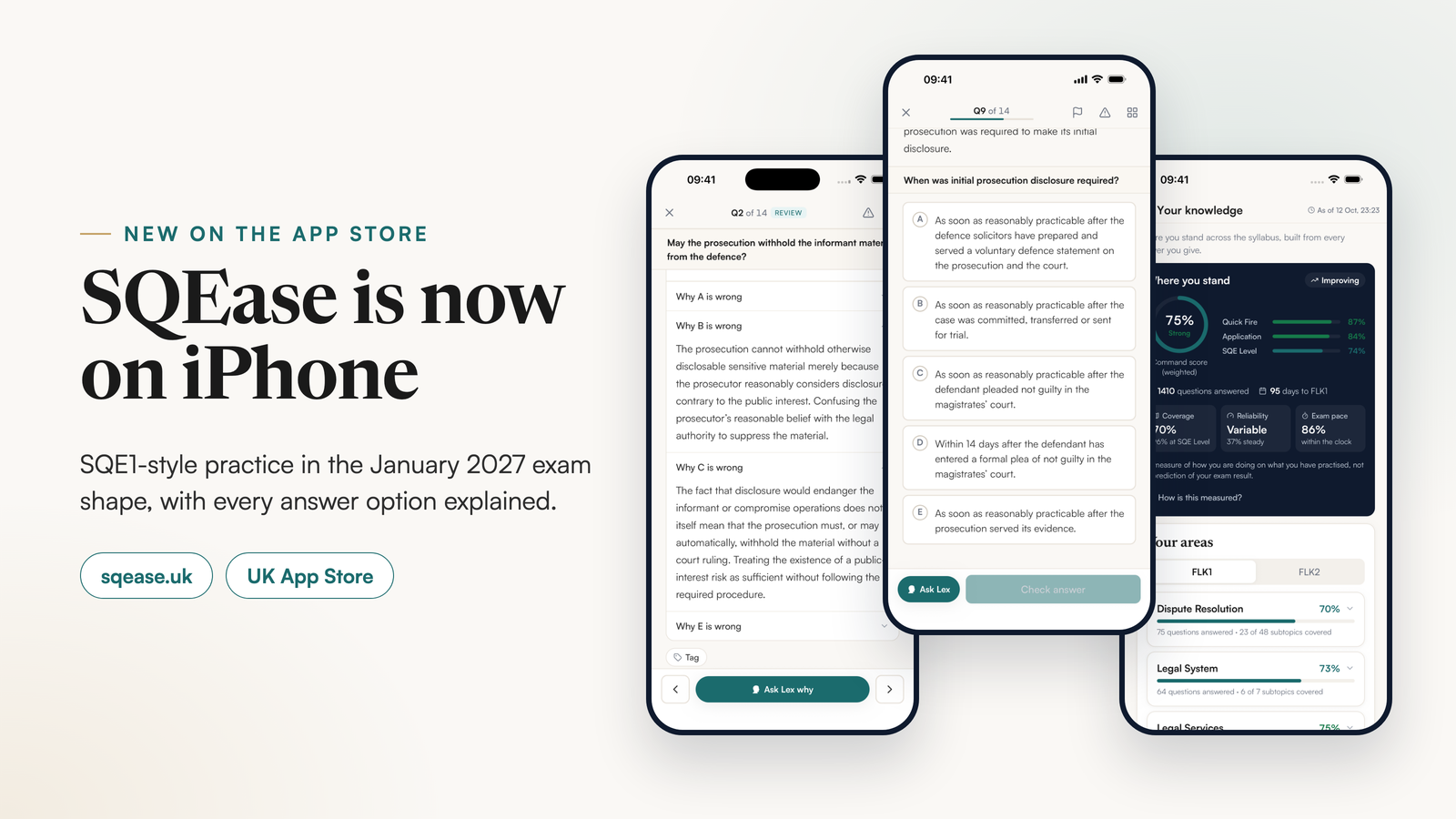
Everything in our iPhone launch post works on iPad as well, including practice with no signal and flashcard review. The plans are the same on every device, and one account works on all of them. Subscriptions bought through the App Store cost more than the same plans on sqease.uk, because Apple takes a commission on every App Store subscription.
How to start on iPad
- Download SQEase from the UK App Store on an iPad running iPadOS 16.4 or later.
- Sign in with the account you already use on iPhone or sqease.uk, or create one with Apple, Google or email.
- Practise on the free plan: five SQE1-style questions a day, reset at midnight UK time, with fifteen Lex messages a day to explain them.
When you want full mocks, the whole question bank or your own notes as questions, compare the plans on the pricing page, or see what each part of SQEase does.
How this was written: Finlay Salisbury wrote and edited this post. AI tools helped with research and drafting. Every legal and factual point was checked by him against the linked primary sources. He is not a solicitor, and this is study information, not legal advice.
SQEase practice questions are written by AI and checked by automated multi-model processes. They are not reviewed by a solicitor and are not SRA or SQE1 exam questions.